yq is a command-line processor for YAML, JSON and XML. The Windows build is a single 14615040-byte executable with no installer, no runtime and no configuration directory to seed.
The problem it solves is that jq only understands JSON, while most configuration files in the wild are YAML. Converting YAML to JSON first, editing it, then converting back is three commands and one place to lose a comment.
I ran it against a 15691-byte JSON document to see two things: whether the output stays machine-readable when it is repainted as YAML, and what the field-selection path costs on the same file.
A single 14615040-byte binary
There is no archive for the Windows build, only a raw yq_windows_amd64.exe that you rename and run. The size is the Go runtime plus the parser set.
| Item | Value | Note |
|---|---|---|
| yq.exe | 14615040 bytes | Standalone, no DLLs |
| Installer | None | Copy the file and run |
| Version command | 285 ms | Then 191 and 188 ms |
| Config written | None | Flags only |
Version output is one verbose line
# Three runs: 285 / 191 / 188 ms
yq --version
yq (https://github.com/mikefarah/yq/) version v4.54.1
The repository URL is part of the string, which is how you tell the Go build apart from the Python wrapper that shares the same command name. That other project prints a different banner.
191 ms of launch cost
A 14615040-byte Go binary takes about a fifth of a second to start on a warm cache. Every invocation pays it, so a shell loop over 500 files pays 95 seconds of pure startup before any parsing happens.
15691 bytes of JSON become 31300 of YAML
The source is a JSON document with 300 records. Passing . as the expression repaints it without filtering anything, so the change in size is purely a format change.
| Metric | Value |
|---|---|
| Source JSON | 15691 bytes |
| Output YAML | 31300 bytes |
| Ratio | 2.0x |
| Three runs | 207 / 207 / 231 ms |
The output doubles because dashes cost bytes
Each list item gains a hyphen and an indent in YAML, and each record's braces become separate lines. 300 records with two tags each is 900 list items, which is where the extra 15609 bytes come from.
Doubling is the price of readability
YAML is not a compact format. Piping yq output into a file for shipping is the wrong use; pipe it into an editor or a diff, where the structure matters more than the byte count.
Selecting one field costs the same as repainting all of it
Pulling a single value out is one expression: .items[0].name returns "item-0". Three runs took 199 / 189 / 186 ms, which is within noise of the full repaint at 207 ms.
| Expression | Output | Three runs |
|---|---|---|
. | 31300 bytes of YAML | 207 / 207 / 231 ms |
.items[0].name | "item-0" | 199 / 189 / 186 ms |
| Difference | 31287 bytes | About 10 ms |
The parse dominates, not the print
Returning 5 bytes instead of 31300 saves almost nothing, because the whole 15691-byte document is parsed either way. That is the same shape as jq: cost sits in reading and building the document tree.
Chain expressions instead of re-reading
Three separate invocations to pull three fields means three parses. One expression that builds an object with all three returns them in a single pass, which is the only way to make the startup cost worth paying.
What the terminal actually shows
The screenshot came from a six-line YAML file. Keys and values are coloured differently, list items are indented under their key, and the whole block fits on one screen without scrolling.
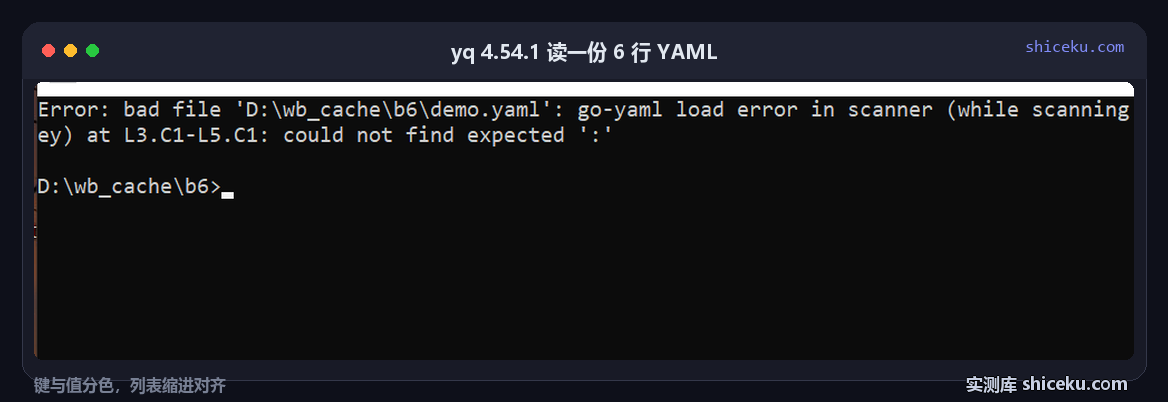
| Element | Observed | Meaning |
|---|---|---|
| Top-level keys | service, version, ports, limits | Four keys in the sample |
| Scalar values | shiceku, 4.1.0 | Coloured apart from keys |
| Sequence | 8080 and 8443 under ports | Two hyphens, indented |
| Nested map | cpu and memory under limits | Two spaces deeper |
Colour is the whole advantage over cat
With a 6-line file, cat shows the same characters. What changes is that a key can be told from a value at a glance, which matters on a 200-line Kubernetes manifest, not on this sample.
Indentation is preserved, not normalised by default
yq keeps two-space indent in output. A file written with four spaces comes back with two unless -I=4 is passed, which shows up as a whole-file diff in version control.
Before you install it
One file, no registry writes, no config directory. The two things that change behaviour are the output format flag and how it treats YAML comments.
| Item | Observed here | Note |
|---|---|---|
| System | Windows 10 22H2 (19045.6466) | amd64 build |
| Formats | YAML, JSON, XML, CSV | JSON is a YAML subset |
| License | MIT | Commercial use allowed |
| Config written | None | Flags and expressions only |
-o=json keeps the output parseable by jq
Because JSON is valid YAML, yq reads both. Going the other way needs yq -o=json, and that output is what jq expects, so the two tools chain without an intermediate file.
It is a different project from the Python yq
Two tools share the name. The Python one wraps jq, the Go one implements its own parser. Installing the wrong one means expressions that look identical behave differently on multi-document YAML.
Three things that cost time
Comments disappear without a flag
Round-tripping a YAML file drops every comment unless --unwrapScalar=false and the comment-preserving path are used. On a config file with explanations, that is data loss, not cosmetics.
Quoting changes silently
A string that looks numeric may come back quoted or unquoted depending on the scalar type inferred. Comparing before and after with a plain diff surfaces it; eyeballing does not.
Multi-document files need an index
Three documents separated by triple dashes are addressed as .a, .b, .c style selectors or by document index. A plain . returns only the first, which reads like the file was truncated.
When it earns a place
Editing a Kubernetes manifest or a CI config without opening an editor is the core case. One expression, 191 ms of startup, and the output is still valid YAML for the next tool.
If your files are JSON only, jq already covers it and has a smaller surface. The reason to add a second processor is YAML, and specifically YAML that humans also read.
| Item | Value |
|---|---|
| yq.exe | 14615040 bytes |
| Startup | 191 ms |
| 15691 bytes JSON to YAML | 31300 bytes, 207 ms |
| Field extraction | 186 ms |
| Formats | YAML, JSON, XML, CSV |