jq is a command-line processor for JSON. It reads a file or a pipe, applies a filter expression, and writes JSON back out. The Windows build is a single 1035264-byte executable with no installer and no runtime behind it.
What it replaces is a throwaway script. Pulling two fields out of an API response usually means opening Python, writing four lines, and remembering where json.load wants the file handle. With jq the same job is one quoted expression typed at the prompt.
The numbers below come from one session on Windows 10 22H2, using a 16856708-byte file holding 200000 records. The useful finding is not that jq is fast. It is that parsing dominates everything else, and a plain Python load beats it on the same file.
One 1035264-byte binary
The release page offers a bare .exe rather than an archive, so there is nothing to unpack. Drop it on disk, add the folder to PATH, and it runs.
| Item | Bytes | Note |
|---|---|---|
| jq.exe | 1035264 | The whole program |
| Portable package in this test | 435749 | exe plus a readme, zipped |
| Version output | jq-1.8.2 | One line, no build hash |
The version call costs 208 ms
Three runs came back at 240, 164 and 208 milliseconds. The first one pays for the file being new to the system cache; the rest is the floor for starting any process here.
# 240 / 164 / 208 ms
jq --version
jq-1.8.2
No build hash is printed, so the version string alone cannot prove which build you have. Compare the sha256 of the file instead.
200000 records in under a second
The test file is a single object with a records array of 200000 entries. Counting them, filtering them and grouping a nested array all run in about the same order of magnitude.
| Expression | Result | Time |
|---|---|---|
| .records | length | 200000 | 913 / 895 / 928 ms |
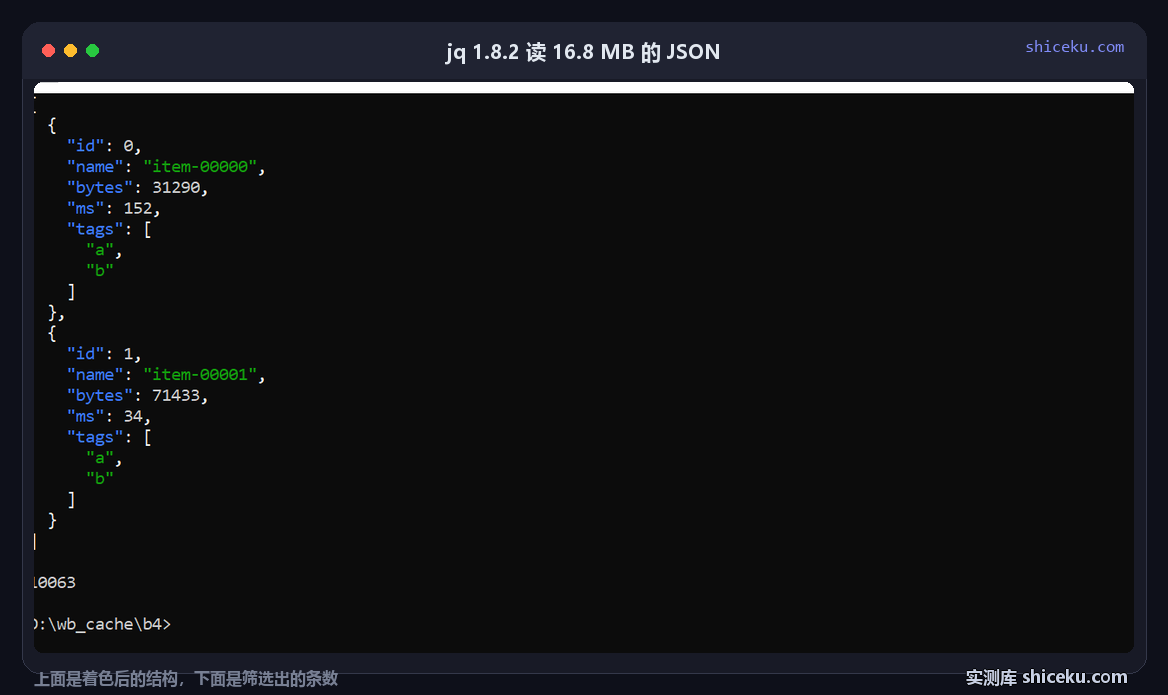
| [.records[] | select(.ms > 190)] | length | 10063 | 1098 / 1074 / 1070 ms |
| [.records[].tags[]] | group_by(.) | map({(.[0]): length}) | add | two groups of 200000 | 2519 / 2551 / 2583 ms |
The difference between counting and filtering is 180 ms
Counting every record takes 928 milliseconds; filtering on a numeric field first takes 1070. The filter itself is cheap. Almost all of the time is spent turning 16.8 MB of text into a tree before any expression sees it.
The group_by case is different: it builds an intermediate array of 400000 tag strings and sorts it, which roughly doubles the cost. That is the one pattern where the expression, not the parser, becomes the bottleneck.
Output size changes with one flag
Writing the same tree back out produces very different files depending on the flags. The input was already compact, so the numbers are a fair comparison of three formatting modes.
| Mode | Output bytes | Time |
|---|---|---|
| Input file | 16856708 | - |
| jq "." (pretty, 2-space) | 31656721 | 1989 / 1941 / 1857 ms |
| jq -c "." (compact) | 14656710 | - |
Pretty printing almost doubles the file
Indentation and newlines take 16856708 bytes in and 31656721 bytes out, a 1.88x increase. Compact output goes the other way and trims it to 14656710 by dropping the spaces after separators.
This matters when the output is piped into another tool. Pretty output is for reading; anything downstream should get -c so the parser on the other side does not have to skip whitespace.
Against a plain Python load
Loading the same file with four lines of Python takes 733 to 756 milliseconds. jq needs 895 to 928 for a query that only counts the records, so the C library behind Python's json module is faster on this file.
| Approach | Time | Code written |
|---|---|---|
| python json.load + len | 752 / 733 / 756 ms | one line, plus the interpreter call |
| jq .records | length | 913 / 895 / 928 ms | no code, one expression |
| jq -c output | 1989 / 1941 / 1857 ms | no code, one flag |
jq wins on typing, not on speed
The gap is roughly 170 milliseconds in favour of Python, and it stays roughly constant across runs. For a single query that difference does not matter. For a loop over ten thousand small files it would.
The reason to keep jq is that there is nothing to write and nothing to leave behind. No virtualenv, no script file to name, no cleanup after the one query you needed.
Four things that bite
Dot notation does not index arrays
.records.0 is a syntax error, not an empty result. The tool exits with code 3 and prints the fragment it choked on. Array access is .records[0], and .records[0].name returns the first name as expected.
A missing key prints null and exits zero
Asking for a key that is not there returns null with exit code 0, so a typo passes silently in a pipeline. Adding -e turns a null or false result into exit code 1, which is what you want inside a shell conditional.
cmd.exe has no single-quote quoting
Examples on the project site use single quotes because that is how POSIX shells work. On cmd those characters are literal, so the expression arrives with the quotes still attached. Wrap filters in double quotes and escape the inner ones.
Numbers past 2^53 lose precision
jq reads numbers as doubles by default. A 64-bit identifier in your JSON can come back rounded, which quietly breaks joins on that field. Keep ids as strings in the source data, or check the value after a round trip.
When it pays off
One-off inspection of an API response, a log line, or a config file. The 1035264-byte binary starts in 208 milliseconds and answers a query without any setup.
It also earns its place inside shell scripts where pulling in Python would mean a dependency the target machine may not have. Windows ships without Python far more often than without a copied exe.
It is not the fast path for bulk work. When a 16.8 MB file takes 928 milliseconds to count and Python does the same in 756, anything that runs thousands of times belongs in a real program, not in a chain of jq calls.
| Figure | Value |
|---|---|
| Executable | 1035264 bytes |
| Input file | 16856708 bytes, 200000 records |
| Count query | 928 ms |
| Python json.load | 756 ms |
| Pretty output | 31656721 bytes |