dasel 3.11.2 is a query and conversion tool for JSON, YAML, TOML, XML and CSV. The Windows build is a single 10756608-byte exe, and version 3 broke the syntax that version 2 used.
The problem it solves is reading one field out of a 1 MB JSON file without opening an editor or writing a script. Piping through jq works for JSON, but the same file often arrives as YAML.
I fed a 1072296-byte JSON array of 10000 records through four operations, and the numbers below include the cost of parsing all of it for every single query.
One 10756608-byte exe
Single file, no installer, no runtime. It reads from standard input and writes to standard output, so it composes with anything.
| Item | Value | Note |
|---|---|---|
| dasel.exe | 10756608 bytes | dasel_windows_amd64.exe |
| Version output | 427 bytes | A usage block, not just a number |
| Subcommands | 5 | query, version, interactive, completion, man |
| Input size used here | 1072296 bytes | 10000 records |
--version prints a usage block
427 bytes come back from dasel --version, because the flag is not recognised as a version switch in 3.x. The real one is the version subcommand.
It reads stdin by default
There is no -f file flag in 3.x. Input arrives on stdin and formats are chosen with -i and -o, which is why every example below starts with a pipe.
Four operations on 1072296 bytes
Same input, four outputs. Times are medians of three runs including process start.
| Operation | Time | Output bytes |
|---|---|---|
| --root --compact | 318 ms | 932298 |
| --root (pretty JSON) | 359 ms | 2552299 |
| --root -o yaml | 540 ms | 1102296 |
| small object, one key | 167 ms | 2 bytes |
Pretty printing triples the output
932298 bytes compact becomes 2552299 bytes with indentation, 2.7 times larger, for 41 ms more. The cost is output, not parsing.
YAML is the slowest at 540 ms
YAML output is 1102296 bytes, close to the 1072296-byte input, but it takes 181 ms longer than pretty JSON. Serialising YAML is more work than emitting indented JSON.
Every query parses the whole file
A single key from a small object takes 167 ms, and the same order of magnitude applies to any selector because the entire document is parsed before the query runs.
| Input | Operation | Time |
|---|---|---|
| 32-byte object | read key a | 167 ms |
| 1072296-byte array | --root --compact | 318 ms |
167 ms is the floor
A 32-byte input still costs 167 ms, so the process load and format setup dominate anything small. For a shell loop over hundreds of files, that floor multiplies.
Parsing 1 MB adds about 150 ms
Going from 32 bytes to 1072296 bytes moved the compact run to 318 ms, so the actual parse of a megabyte of JSON is in the same range as the fixed cost rather than an order of magnitude above it.
The 3.x syntax is not the 2.x syntax
Selectors that worked in 2.x fail in 3.x with a parse error, and the error message names the token rather than the fix.
| Selector | Result in 3.11.2 |
|---|---|
| .a | failed to parse: unexpected token "." at position 0 |
| a | works, prints 1 |
| [0].name | unexpected type: expected map, got array |
| --root | works, prints the whole document |
The leading dot has to go
dasel -i json '.a' is a parse error in 3.x; dasel -i json 'a' returns 1. Any script written against 2.x needs every selector rewritten.
Array indexing is not [0]
On an array root, [0].name reports "expected map, got array", so the bracket form does not index into an array the way it reads. Reaching into an array needs a different expression, and --root is the reliable way to get everything out.
YAML costs 18% more bytes
The same 10000 records become 932298 bytes as compact JSON and 1102296 bytes as YAML, so the human-readable form is 170000 bytes larger for identical content.
| Output format | Bytes | Versus compact JSON |
|---|---|---|
| compact JSON | 932298 | baseline |
| pretty JSON | 2552299 | 2.7 times larger |
| YAML | 1102296 | 18% larger |
YAML sits between the two JSON forms
YAML drops the braces and quotes that pretty JSON repeats on every line, so it lands 18% above compact and 57% below pretty. For a config file a human edits, that is the right trade.
Per record the gap is 17 bytes
Across 10000 records the difference is 170000 bytes, which is 17 bytes per record. That is roughly the `- ` list marker and one line break per entry.
Five subcommands in one exe
The help screen lists query, version, interactive, completion and man. Only the first is needed for the operations above.
| Subcommand | Purpose |
|---|---|
| query | Default; runs a selector against stdin |
| version | Prints the version, unlike the --version flag |
| interactive | REPL session, marked alpha |
| completion | Shell completion script for bash or zsh |
| man | Generates a man page |
interactive is still alpha
The REPL is labelled alpha in its own help text, so it is not the path to build tooling on. Every measurement above used the non-interactive query path, which is the stable surface.
completion and man are for setup
Neither affects runtime. completion emits a shell script and man emits documentation, both useful once and then irrelevant.
What it is good for
Converting between formats and pulling values out of a document you can see the shape of, on a machine where installing jq and yq separately is friction.
| Task | Fit | Why |
|---|---|---|
| JSON to YAML in one step | High | 540 ms for 1 MB, one flag pair |
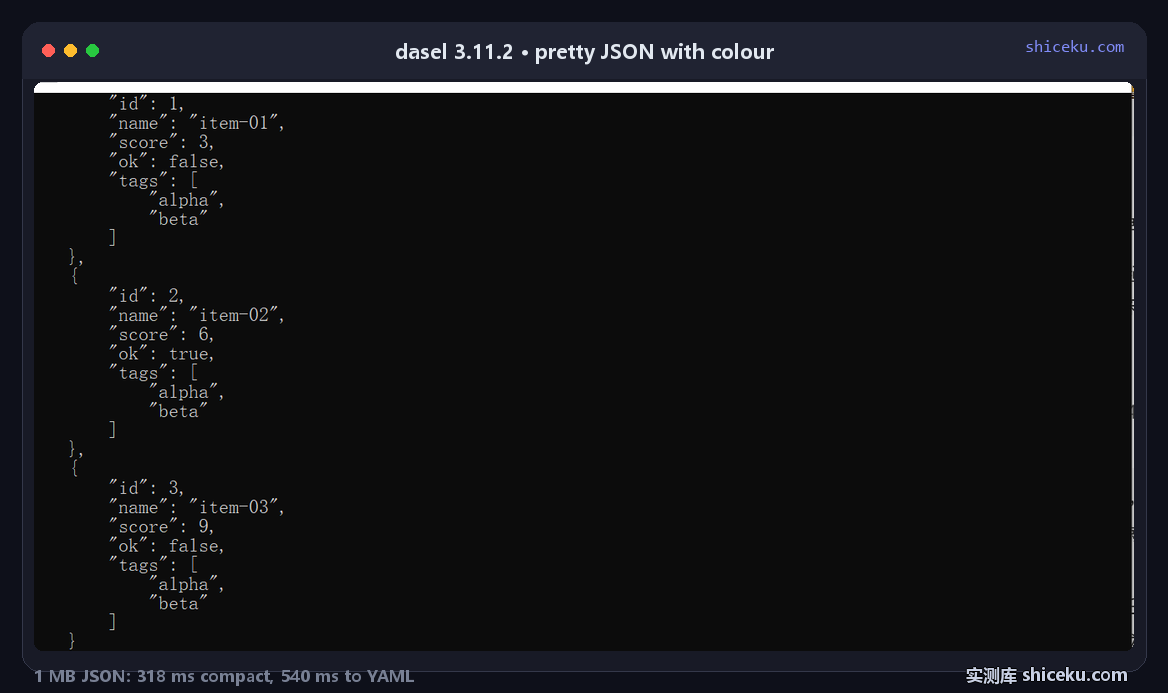
| Inspecting an unfamiliar file | High | --root pretty prints with syntax colour |
| Scripted field extraction | Medium | 167 ms floor per call, syntax changed in 3.x |
| Replacing jq in existing scripts | Low | Selectors were rewritten between major versions |
Pair it with a format you already trust
For JSON-only work, jq has a stable selector language and a much smaller fixed cost. dasel earns its place when the same pipeline has to touch YAML, TOML or XML.
Licence and cost
MIT. Free for personal and commercial use, source on GitHub, written in Go. The Windows build is one exe with no installer and no registry writes.